The second day of .Next London started with a good keynote mainly about IoT and what Nutanix brings to the table in that area of expertise. There where some issues before the keynote started but everything ended up really going smoothly. Session wise I did two sessions, both about VDI: deepdive into Xi Frame and the VDI supersession at the end of the day. In between there was a really inspirational keynote with Julie O’Brien interviewing Dr Jane Goodall. At age 85 she still travels the world convincing people they need to work at keeping our world healthy. In between all of this I spent some time at the Community lounge and browsing the solution expo.
The VDI supersession was a good mix of Horizon and Citrix that was very open for questions of the audience. It covered two time slots with a short break in between and it was good to see a couple of former EUC Champions + a Nutanix NTC on stage. The day ended for me walking into a restaurant that had a table filled with speakers & audience of the VDI supersession who immediately invited me over to join them.
please remember this is article is written while I was still waking and sobering up from last nights party at The Tobacco Dock.
The last couple of days where a blast. I came in on the Eurostar on Tuesday and while others had issues with flights being cancelled I had no issues crossing The Channel by train. At 3 PM we started the rehearsals for Wednesdays opening act where we had to juggle a bit with balls. We where being trained by 4 pro’s including brand new World Champion Aguska Mnich that showed how things are done on stage. Too bad they didn’t have a lot of time on stage because backstage they where showing some amazing tricks.
Watch Aguska winning the championship from about minute 49
After this I finished the evening meeting some great community people at the Welcome reception and a dinner with some Dutch Nutanix employees and customers.
Wednesday started at 7.30 am with the last rehearsals for our opening act. It was great fun doing this though the stage was even warmer than the keynote room (usually keynote rooms are cold due to their size, over calling it warm was an understatement). When the keynote ended I went out to Angelo’s awesome community lounge before we went out to the NTC lunch where it was great meeting all the other ntc’s. It was quite a big group this time compared to last year.
In the afternoon I visited my first breakout about Nutanix files and it’s awesome to see how this product has grown over the years. It’s a full-fledged nas replacement now that’s just as easy to scale out as a Nutanix cluster with the same performance.
closing keynote was by Bear Grylls. I expected a bit more energetic person on stage but in fast he even looked a bit shy at some points. His main point: never give up!
This years party had an old style circus theme at the Tobacco Dock and while some of the music and smells where a total sensory overload for me I ended up in the saloon enjoying the (mostly) acoustic music.
This post is fairly similar to my posts for .Next Nice in 2017 and VMworld US of this year. For security reasons I decided to go with the XD Design Bobby again. Since it’s a lot harder to open when on my back I feel it’s a bit more secure while travelling on the London Underground. A couple of other changes also have been made, the bubm bag was replaced by a bit smaller pouch from the same maker and my Sony headset has gone to my wife since I settled on the Jabra Move I got from Cohesity at VMworld. The Jabra just sits a bit more comfortable for me and fits perfectly in it’s own bubm case.
For the rest there are the usual suspects: Xiaomi 10k battery pack, HP Probook 440 G5, Microsoft designer mouse, Roundcube Rewirable USB Travel adapter and some various bits & pieces. My suitcase is simply packed with lots of stroopwafels and all the Nutanix NTC gear I have.
Like I said in part two I wanted to do that first before going to method’s since for some methods you actually need the output from a query. I posted an example of that in the meanwhile with my post about sending messages to users. The get-hvglobalsession and get-hvlocalsession are based on queries that are used for the Session_SendMessages method of the session service.
The obvious way of finding available methods is by looking into the API Explorer.
It’s a complete list but it’s hard to find all the methods that belong to a service. It’s easier to do a get-method on a service.
$services1.connectionserverhealth | gm
So, in here we have two methods: ConnectionServerHealth_Get and ConnectionServerHealth_List. Even my wide PowerShell window is not big enough to show what’s needed to with the ConnectionServerHealth_Get method. For that we can use service.method without any brackets.
The required input for the method’s is visible between the brackets. The _Get method requires an id of the type vmware.hv.connectionserverid and the list doesn’t even need an input. I will keep the first one to use for later while I run the latter one.
The ones where you see a property that has a definition that starts with vmware.hv…. has more content hidden. It is possible to access these by putting the entire line between brackets followed by .membername for example
Please be aware that this can go multiple levels deep for some methods. To avoid unneeded api calls it’s wise to declare a variable from the method and use that to access the data.
Now to show the use of the _get method I could use the id that I received from the _list method but that would be cheating. What I will do is put a list of all connectionservers into an array (even though I only have 1) and do a foreach with the _get method.
$connectionservers=$services1.ConnectionServer.ConnectionServer_List()
foreach ($connectionserver in $connectionservers){$services1.ConnectionServerHealth.ConnectionServerHealth_get($connectionserver.id)}
This is the basic usage for method’s. For some method’s a spec is required for input please take a look at this post about adding an instantclone administrator for an example. I will show some more details about that one in here. Let’s take a look at what the method requires as input.
You can see that a spec is required of the type VMware.Hv.InstantCloneEngineDomainAdministratorSpec. The API Explorer will show that this actually is a bit weird one since it one contains a base.
If you click on the base you’ll see whats required in there.
These levels actually show that we need to declare multiple objects to build the actual spec. You can create the basic object with new-object objecttype
As you see the base is empty and doesn’t know what data it can contain. This shows that we need to declare the object for every level where we need to enter some information.
First I tried this using the class that’s shown in the API explorer, this obviously didn’t work so I use the data object name.
In the link I posted above you should be able to find what’s required to create an actual instantcloneadministrator. With this I have covered most of the method’s and how they work. Please don’t assume that _list nevers needs an id or that _get always needs one because that’s not true. Sometimes it will also say ids like with my previous post about sending messages that means it needs an array of id’s most possibly generated by a query or an _list method.
This tool helps to migrate WS One profiles between various environments.
The Workspace ONE UEM Profile Migration Utility aides in moving Profiles between Workspace ONE UEM Consoles. This can be very helpful to programmatically migrate complex Profiles from UAT to PROD environments.
Note: Not all Profile payloads are supported within the AirWatch API.
Updated
[sta_anchor id=”daasmig” /]
Horizon DaaS Migration Tool
The Horizon DAAS Migration Tool is targeted to Service Providers that run an Horizon DAAS environment and that want to upgrade that environment.
Changelog
Version 2.0.0
Added functionality for VMware tool upgrade;
Added progress statistics;
Added support for 32 bit VM;
Added support for Windows 10, 7 and 8;
Added resoulution for blank screen;
Added logging enhancements.
[sta_anchor id=”truessodiag” /]
True SSO Diagnostic Utility
With the True SSO Diagnostic Utility you can validate the Horizon certificates used by the Enrollment Server.
Changelog
Version 2.0
Updated to support VMware Horizon 7.4 and later
Added LogonTest method; Performs basic validation of generated certificates
Display expiry time for Enrollment and CA certificates
Display additional information of generated certificates
[sta_anchor id=”xvcutil” /]
Cross vCenter Workload Migration Utility
The Cross vCenter Workload Migration Utility allows you to move VM’s between vCenter servers using a gui. It now also supports migrating within the same vCenter so you can manage all vmotions with this tool.
Changelog
Version 2.3, October 18, 2018
Added support for migration within a single vCenter server
[sta_anchor id=”vropsrestnot” /]
vRealize Operations REST Notifications Helper
vRealize Operations REST Notifications Helper helps vRealize Operations Manager users improve and customize the REST notifications of alerts. It collects the most useful information about an alert, creates a new payload by user configuration, and sends it to third parties.
Changelog
Version 1.1.3
Added “recommendations” value to the final payload
All recommendations of the alert are added to the payload as a single string, separated with “\n”.
[sta_anchor id=”html5″ /]
vSphere HTML5 Web Client
It’s already fully featured in vSphere 6.7 u1 but that doesn’t stop the VMware engineers from updating the fling as well.
Changelog
Fling 3.42 – Build 10321112
New Features
Dark theme mode for vSphere Client
Go to User menu and click on Switch theme to switch over to Dark theme mode of vSphere Client
vCenter Authentication Proxy UI is added to vCenter -> Configure -> Authentication Proxy
System configuration displays the summary of vCenter (multiple vCenters in case of linked mode) and PSC node (in case of external PSC) and also show them as links. Clicking on these links will open the VAMI UI for these nodes.
Update content library item
Clone vApp to a vApp template in content library
New vApp from a vApp template in content library
Improvements
If there are multiple vCenter servers in vSphere Client connected using linked mode, then certain operations like Deploy OVF across different vCenters will result in a certificate warning asking users to open the vSphere Client for the different vCenter than the one you are using. This warning dialog is updated to give the URL of the vCenter server as a link (Refer this reddit post for reported issue)
Bug fixes
Performance fix for loading actions menu when fling appliance is pointed to a 6.5 vCenter with external PSC
Known Issues
Dark theme might not render well for certain areas of the client. One such known area is for any VMware or partner plugins which are already ported over to HTML5 client. Give us feedback using feedback tool if you notice any areas which does not render well in dark mode.
I got the question today from Fabian Lenz if it is possible to send messages to end users using the Horizon API. I knew I had seen it somewhere already and here’s a quick explanation.
There are two method’s to do this, one for a single session and the other for a group of sessions. Both fall under the session service.
$services1.session | gm
You can see both the methods called session_sendmessage and session_sendmessages if we look at what’s required for both we see that the difference is a single sessionid or an array of session id’s.
Let’s see what the API explorer says what’s needed.
So the msgtype is a string that can have three values and the message is just a string, let’s test this.
I am lazy and will use get-hvlocalsession for the sessionid.
$session=get-HVlocalsession | select -first 1
I do the -first 1 so it isn’t an array but a single session.
Now let’s send a message.
$services1.session.Session_SendMessage($session.id,"INFO","This is a test message for retouw.nl at 30-10-2018 19:13h")
And the result:
Now let’s do the same for multiple sessions.
$sessions=get-HVlocalsession
$services1.session.Session_SendMessages($sessions.id,"ERROR","This is a test message with multiple recipients for retouw.nl at 30-10-2018 19:25h")
And to show that this also works for global sessions (both where connected to pod2cbr1)
$sessions=get-HVglobalsession
$services2.session.Session_SendMessages($globalsessions.id,"WARNING","This is a test message with multiple global recipients for retouw.nl at 30-10-2018 19:30h")
If you want to filter the sessions on user or machine name you can filter the $globalsessions on $globalsessions.namesdata.basenames
So this is the second post in this series about the Horizon View API basics. While functions logically would be part 2 I have decided on doing queries first since you might need the result for a query before you can use some of the functions. Some if it will seem double from my recent post about pulling event information but not everyone might be looking into that. This post will not have as much gifs as the first post but that’s because only the end results count for this one.
Looking at the API Explorer these are the services that we can actually query:
There are some examples in the API explorer but will show you some different examples with the aduserorgroupsummaryview since that one has a lot of documented filters and I can easily add some extra accounts to show different queries.
The first thing that we always need to do with queries is to declare the queryservice object
If you do a get-method on this object it will show several possible methods to use.
The next thing to do is to create a definition object in which we will declare the things the query looks for.
$defn = New-Object VMware.Hv.QueryDefinition
When getting this object and its get-method it shows the definitions we can set, as you can see all method’s are already visible from just viewing the object so we don’t need to use the get-method anymore.
Now we need to set a QueryEntityType these can be found in the API explorer under the Queryable Entity Types. They have to be used between quotation marks.
$defn.queryentitytype='ADUserOrGroupSummaryView'
Now we’re already set to create some results by putting the query into an object.
As you can see below this will create an object where the results property contains all the data. This Results property has 2 other properties of it’s own that actually contain all the data.
And if we expand the base property it gives us one of the build-in Active Directory groups.
$queryresults.results | select-object -first 1 | select -expandproperty Base
Since this can go several layers deep it is smarter to use the round brackets to get this information. (Select -expandproperty following select – expandproperty is just ugly and takes too long)
This way it’s also easy to count the amount of returned objects. This is very useful if you have a bigger environment and want to take counts of sessions with their status (i.e. Connected, disconnected, error etc)
($queryresults.results).count
Next up is adding a filter, so we only get user accounts but we need to do some maintenance first. If you do too many queries it is possible that you will get some errors about too many filters or something (of course I am not getting them while writing this post) so, it might be needed to remove the old stored queries is possible with the queryservice_deleteall method.
This does not give any feedback on the results so let’s continue with the old query and put a filter on it. First you need to know what kind of filter you need and the options are listed in the API explorer.
The first one I will use is queryfilterequals since I use that the most. I start by defining a filter object consisting of a property with a value.
Now I will show you the results + the fact that you don’t necessarily need to define an object for the results. I have selected the first result to show you that it contains the domain administrator account
It is also possible to combine several filters into one query, while the ad service might not be the most useful for this it can still be used as an example. The thing to do is to first create a couple of filters.
Please be aware that these membernames are case sensitive!
That’s it for the basics of doing queries using the Horizon View API’s. There are some more things that we can do with these like sorting them, but I think you can find that on your own in the API explorer examples.
This week it was announced that applications for the 2019 Nutanix Technology Champions (NTC) are open. Despite not having worked with Nutanix in production in a while I have been a member of this great piece of vCommunity for two years now. Angelo, who runs the program, listed the benefits to include the following:
Early access briefings about Nutanix products and announcements
Access to private betas and insight into ongoing product development
Participation in exclusive meetings with engineering teams
Access to discussions on the Nutanix NTC slack channel with internal teams
Exclusive activities at our annual .NEXT conference including pre-show briefings
Support and Mentorship for those seeking NCP, NCAP and NPX career development
Let’s dive into these benefits a bit deeper.
Early access briefings about Nutanix products and announcements
Since I don’t work with the tech this is what really keeps me up to speed on what Nutanix is doing. While sometimes it’s hard for them to do it really early with the fast pace of developing new features or tools this still gives the edge for bloggers who like to blog about this. But it also gives us the possibility to provide feedback before it’s released for new ideas or enhancements.
Access to private betas and insight into ongoing product development
Again due to the high pace of developing at Nutanix the first part doesn’t happen too often but the second one does every now and then. Engineers pitch ideas during regular calls and use our reactions to those to see if it would be worth implementing.
Participation in exclusive meetings with engineering teams
See the previous point, it’s really valuable for both sides to give and receive the input on new developments.
Access to discussions on the Nutanix NTC slack channel with internal teams
Being a customer or partner this is the icing on the cake for you. Besides communicating with your fellow NTC’s every Nutanix employee can have access to our Slack Channel. I have been on the phone with support during an issue while on Slack I was able to give logs and other information that otherwise might have taken a bit more time to end up on their side. In here there are no stupid questions and if the person with the required knowledge isn’t in the channel someone else will invite them in. And it isn’t about Nutanix software only, if someone at Nutanix has the knowledge we will get them in there. Want to ask CEO Dheeraj Pandey a question? He’s in there as well!
Exclusive activities at our annual .NEXT conference including pre-show briefings
We always have a NTC lunch at .Next and several briefings up front so we know what to expect. Angelo is also a selfie maniac at conferences so you probably won’t get away without one posted on Twitter. Everywhere you go you’ll find another NTC around so like most conferences it’s a great place to make new and meet old friends.
Support and Mentorship for those seeking NCP, NCAP and NPX career development
For this again the Slack channel is essential. After a call about the NPX certification ealy this year I pitched the idea to have a bootcamp in The Netherlands and that turned out to be a success as you can see in my blogpost about it.
Other things
Are there any other advantages than those that Angelo names? Yes there certainly are, all NTC’s get a free subscription to Pluralsight and on a regular base we have calls with vendors that also supply us with nfr licenses. For example we have access to hycu, Bitdefender and after the comming call also Unitrends.
Conclusion
It doesn’t matter if you are a partner, customer or member of the greater vCommunity being a member of the NTC program is great benefit. Angelo really strives to help us grow in whatever we do and succeeds in that! If it isn’t about the knowledge then it is about expanding your network in this awesome thing that we call the vCommunity.
UPDATE 12-10: The new API explorer page also has been published, it just needs to be added to the main page. Check this link: https://code.vmware.com/apis/445
Update 15-10: I have received an overview from VMware about the other changes:
New API Endpoints:
ConnectionServer_GetTags
GlobalSettings_GetEnvironmentSettings
QueryService_DeleteByIds
Datastore_GetDatastoreRequirements
Datastore_ListDatastoresByDesktopOrFarm
RemoteApplication_EndApplication
There also have been some changes to some objects (MachineBase,AccessGroup etc) to include more properties
Original Article:
Today the latest version of PowerCLI was released with version 11.0.0. When you look at the release notes it’s obvious that some extra things have been added for the Horizon VIew API’s.
PowerCLI has been moving at quite the rapid pace over the last 2 years. In 2018, we’ve been releasing roughly every other month to make sure we get the latest features, performance improvements, and updates available as quickly as possible. Well, it’s been two months and we’re not going to break this trend. Today, we are releasing PowerCLI 11.0.0!
PowerCLI 11.0.0 comes with the following updates:
Added a new Security module
Added new cmdlets for Host Profiles
Added a new cmdlet to interact with NSX-T in VMware Cloud on AWS
Support for vSphere 6.7 Update 1
Support for NSX-T 2.3
Support for Horizon View 7.6
Support for vCloud Director 9.5
Multiplatform support for the Cloud module
Updated the Get-ErrorReport cmdlet
Removed the PCloud module
Removed the HA module
Even though Jake Robinson already gave me a heads up that this version was coming it’s always the question what has been added for Horizon View. According to the API explorer page no new querydefinitions have been added. Like last time I decided to compare the services against the old list and there are two new additions:
CategoryFolder
ResourceSettings
I have tried both against a Horizon 7.5 setup and they failed so these are only exposed from Horizon View 7.6 and up.
The first one called Categoryfolder is linked to the possibility to put rdsh applications into folders.
It currently has only one function:
I have also investigated if there was a way to change things using the helper function but sadly it has no .update api call so that’s a no-go. I currently have no rdsh on my lab so I can do the list but it doesn’t show anything.
The other new service is the .ResourceSettings just like categoryfolder it also only has one function:
For this one I can actually show what it’s used for:
It shows the general settings for forced logoffs.
Sadly this service also doesn’t show a way to change things.
Sadly I have no found no way yet to see what queryservice entity’s have been added so hopefully we will have a new API explorer soon (maybe with release notes this time, pretty please VMware?) that shows us all the new goods.
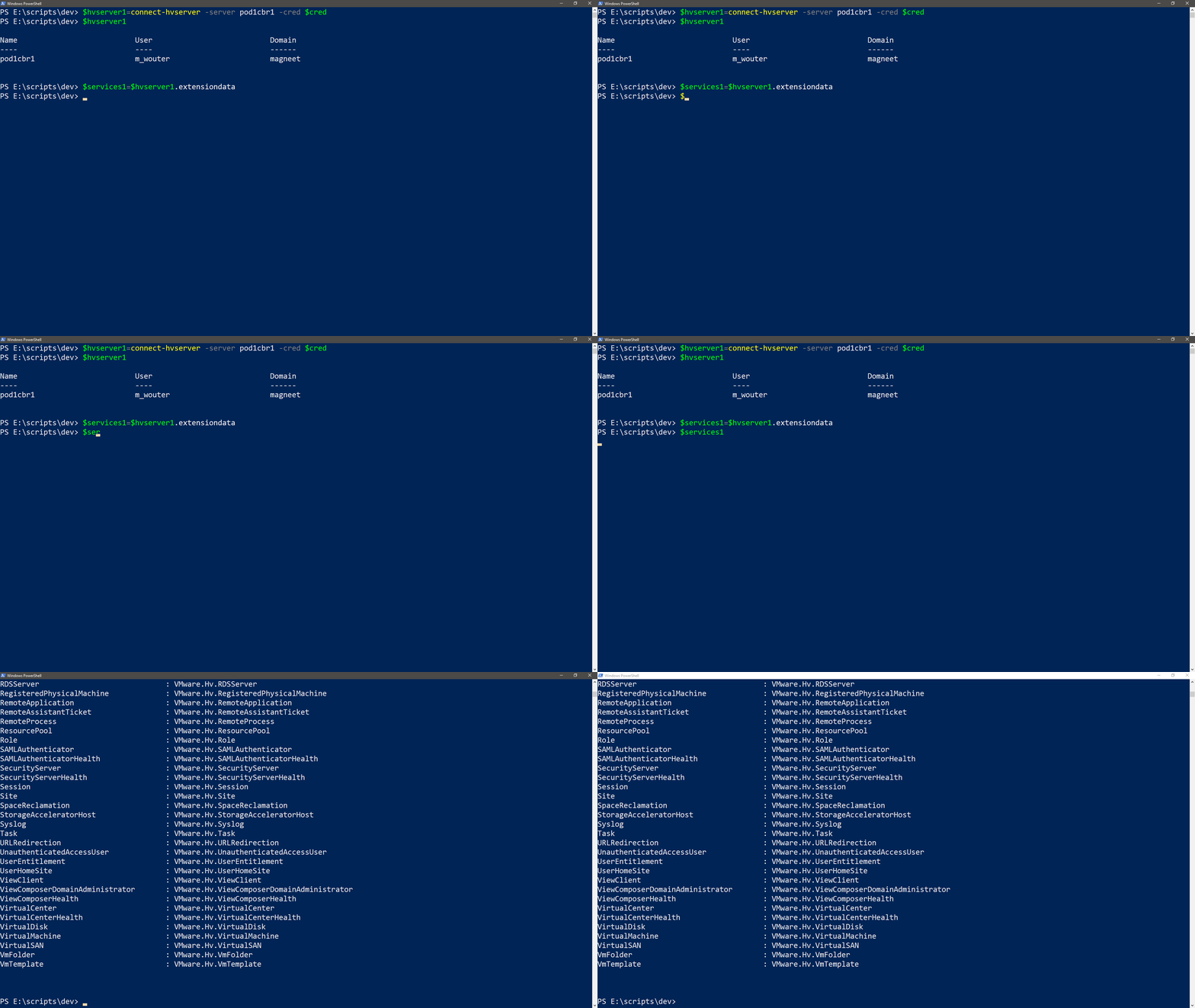
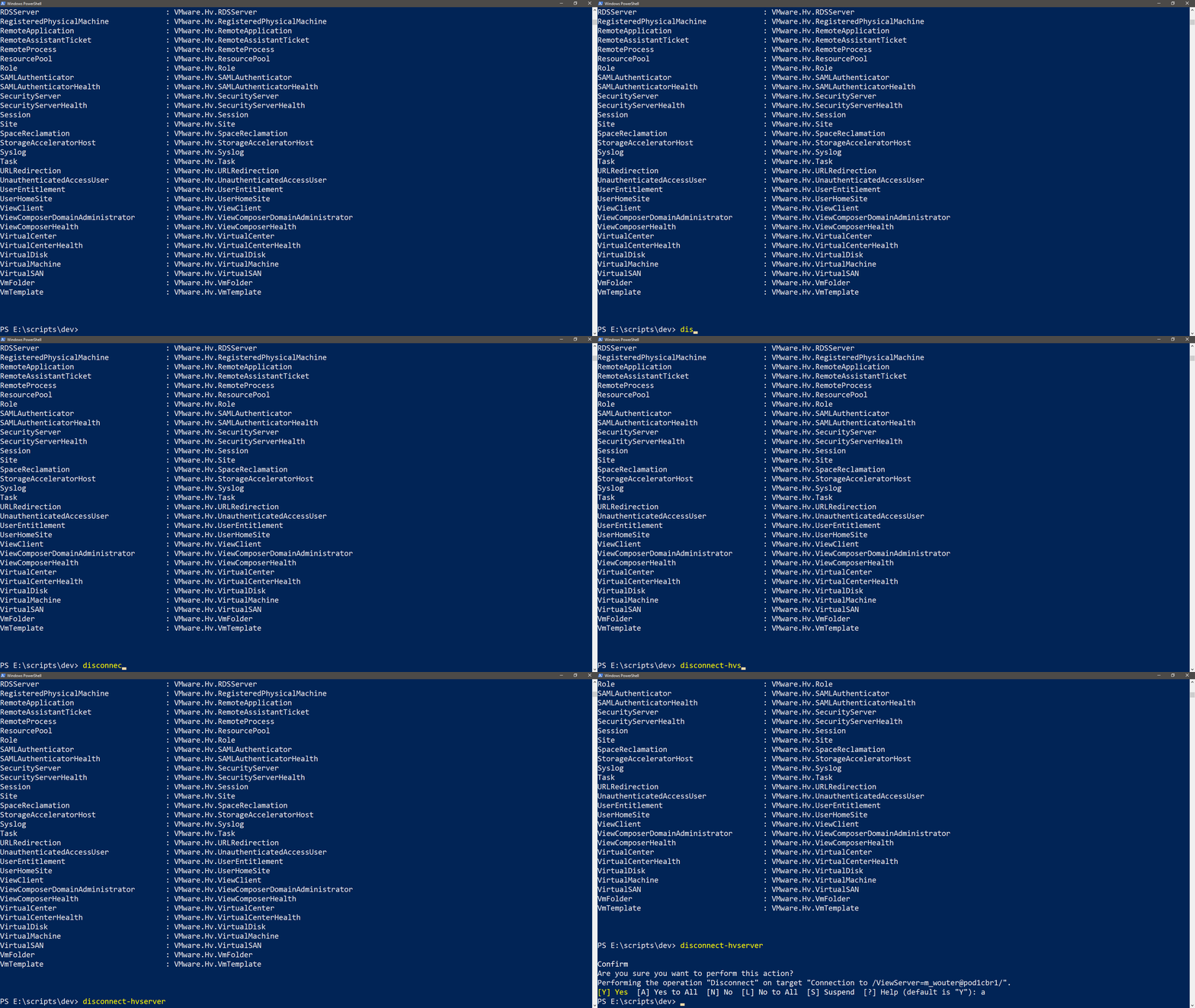
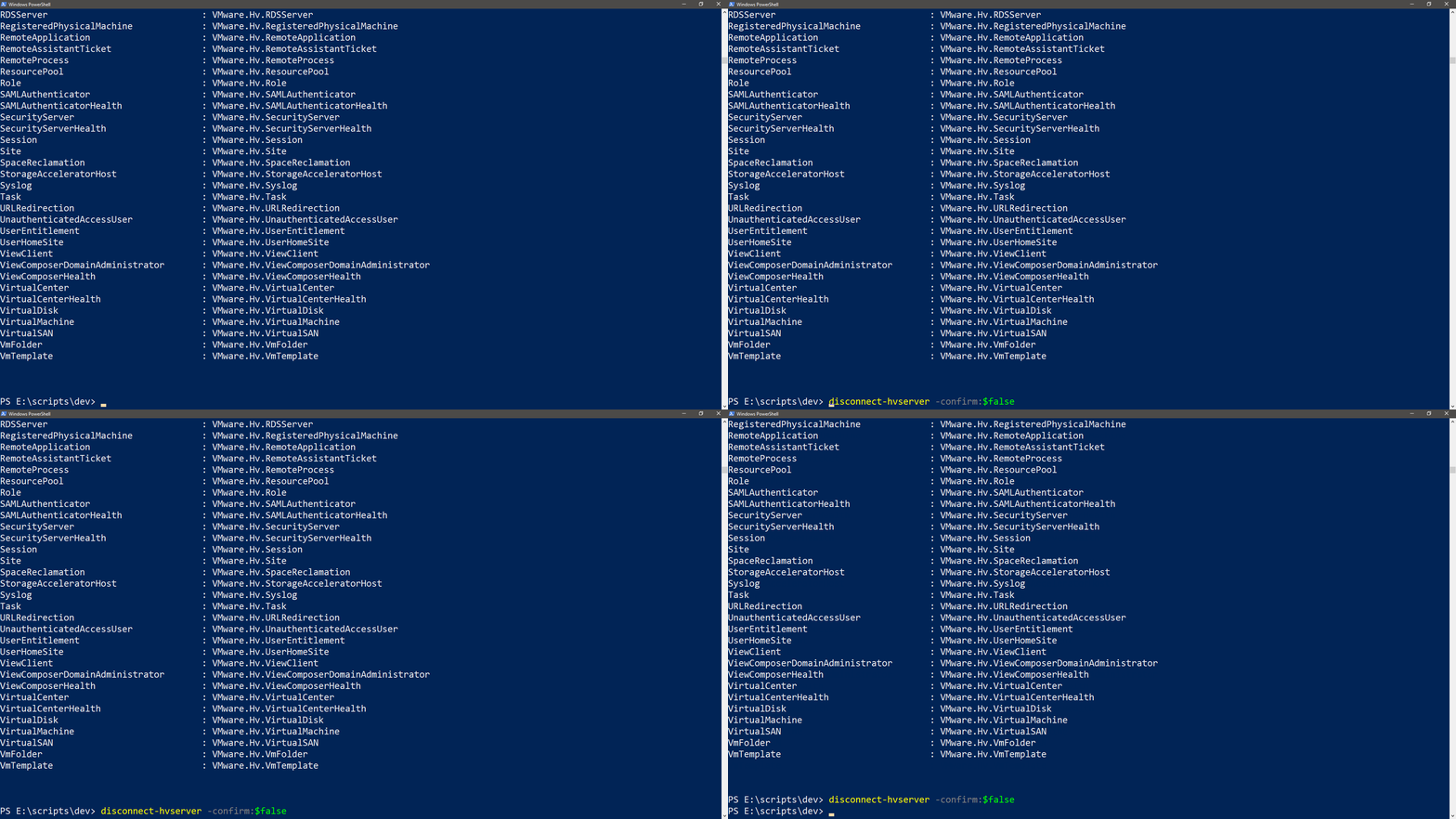
I have done a lot of deep dives but just like the VMware{Code} session I did at VMworld I think it’s time to go back to the basics on how to work with the Horizon api’s from PowerCLI. First up is connecting to a Connection server and disconnecting. I will be showing various ways to do but the new and secure one is the best for me since that’s also usable when you want to schedule scripts.
The easy way
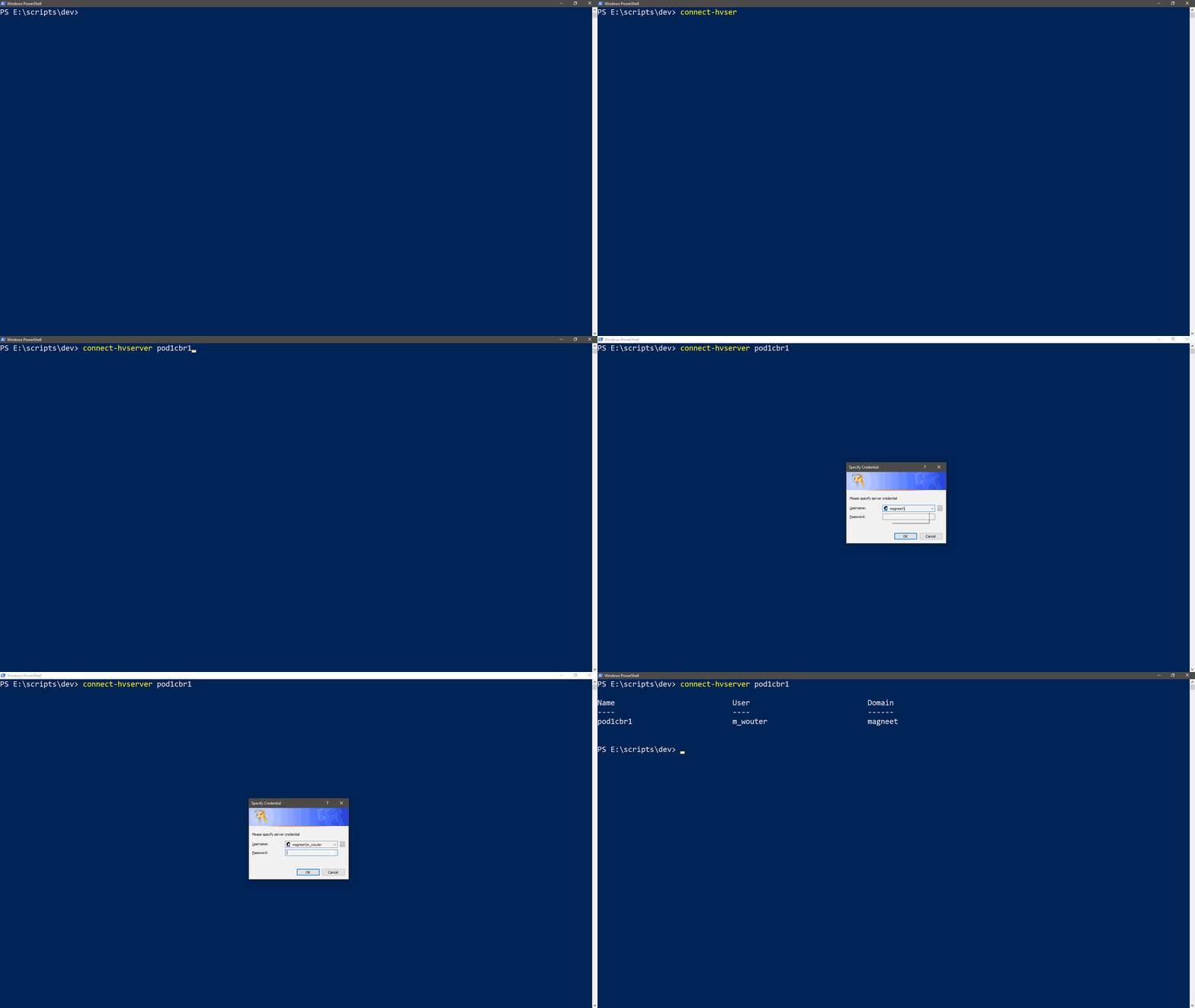
The easiest wat to connect is by using the connect-hvserver SERVERNAME
connect-hvserver pod1cbr1
This will give you a nice credentials popup.
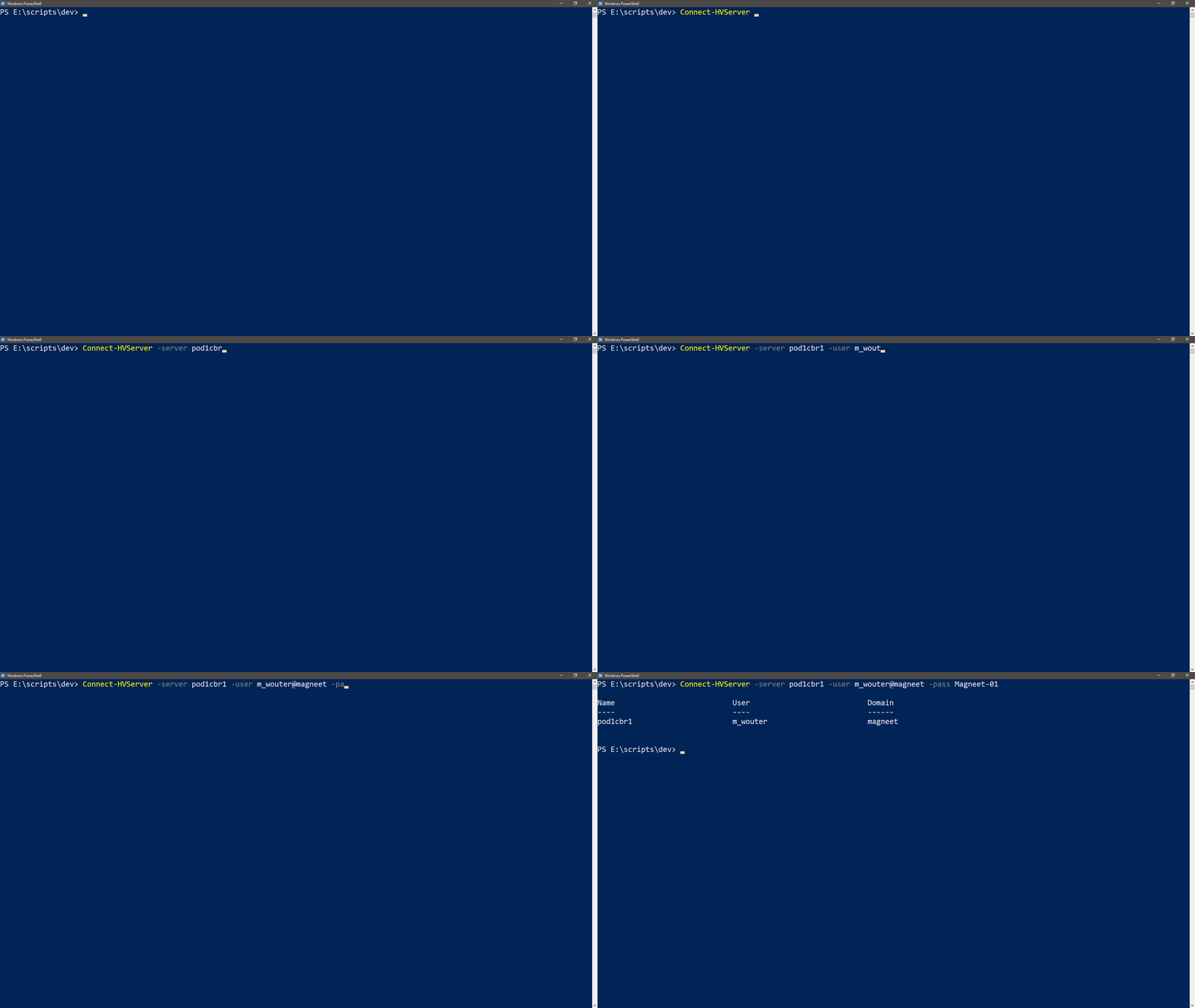
The Unsecure way
The previous way that I used was by using the -user, -pass and maybe the -domain parameters.
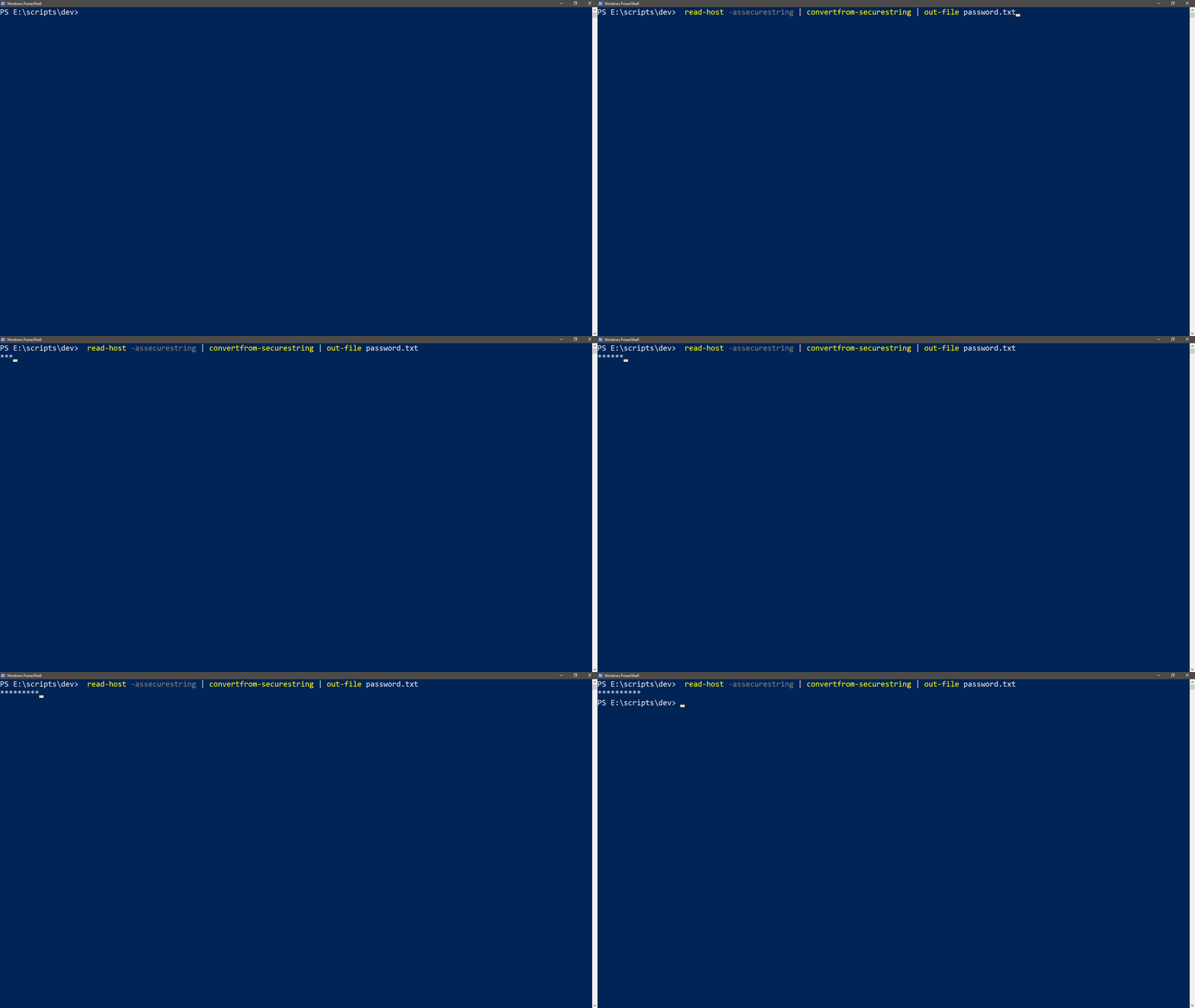
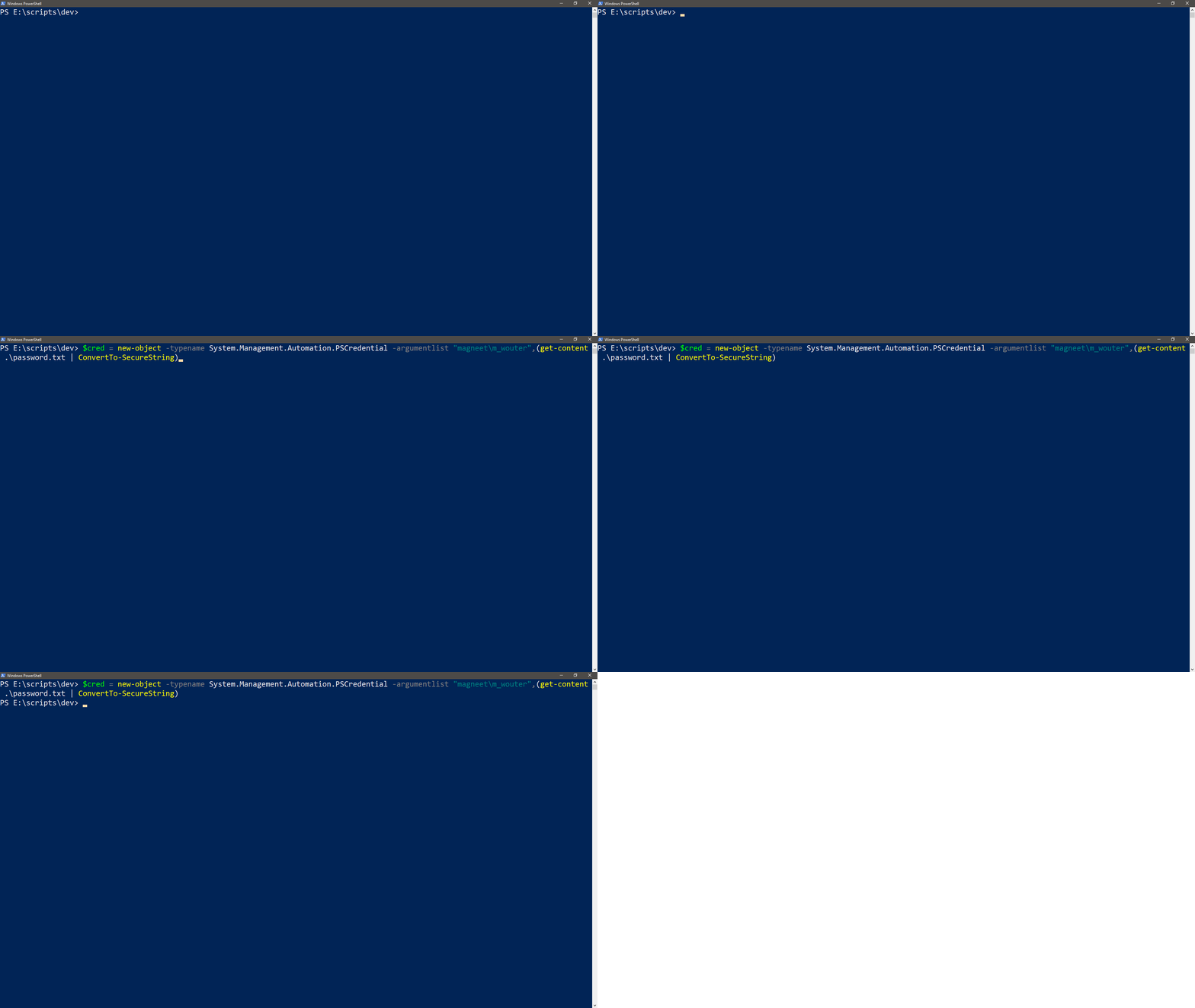
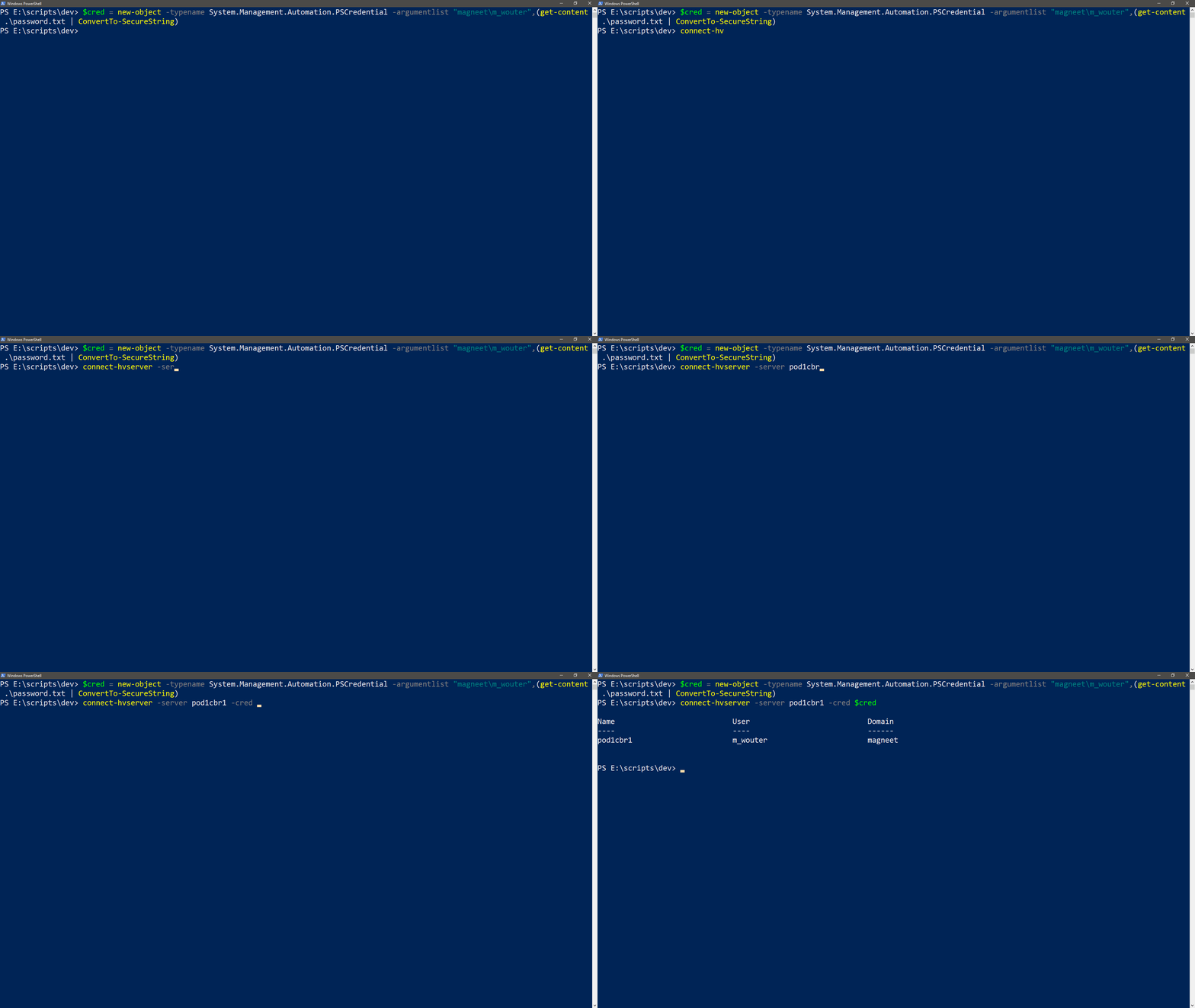
Since one of the latest updates it is also possible to use a credential object. We found this out during the Hackathon @VMworld US that it is possible. It will use the good old credentials function from Powershell like in this post from 2008. First you’ll need to make a file with the encrypted password. Big thanks to Ariel & Edgar 🙂 check this for the vDocumentation script.
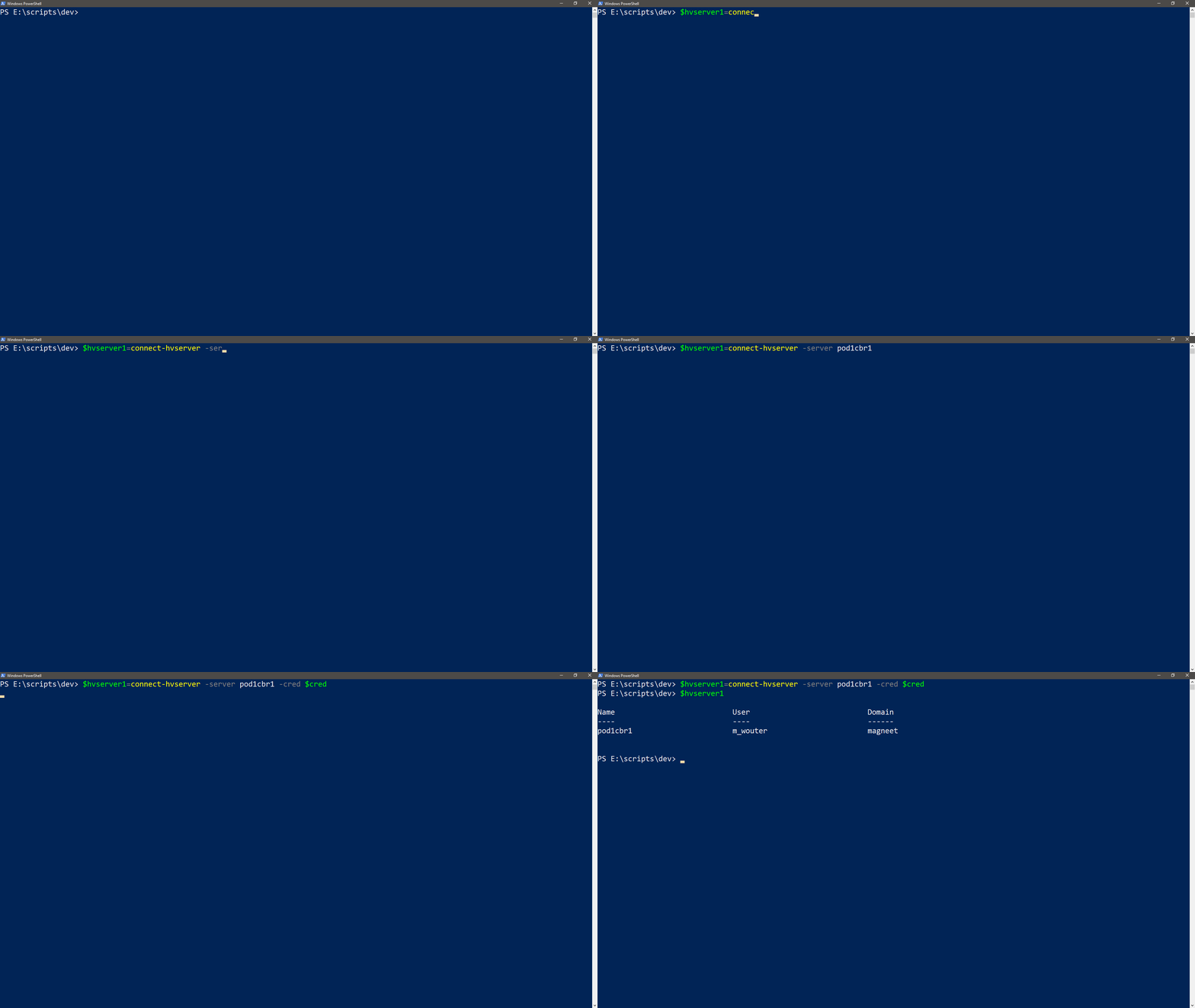
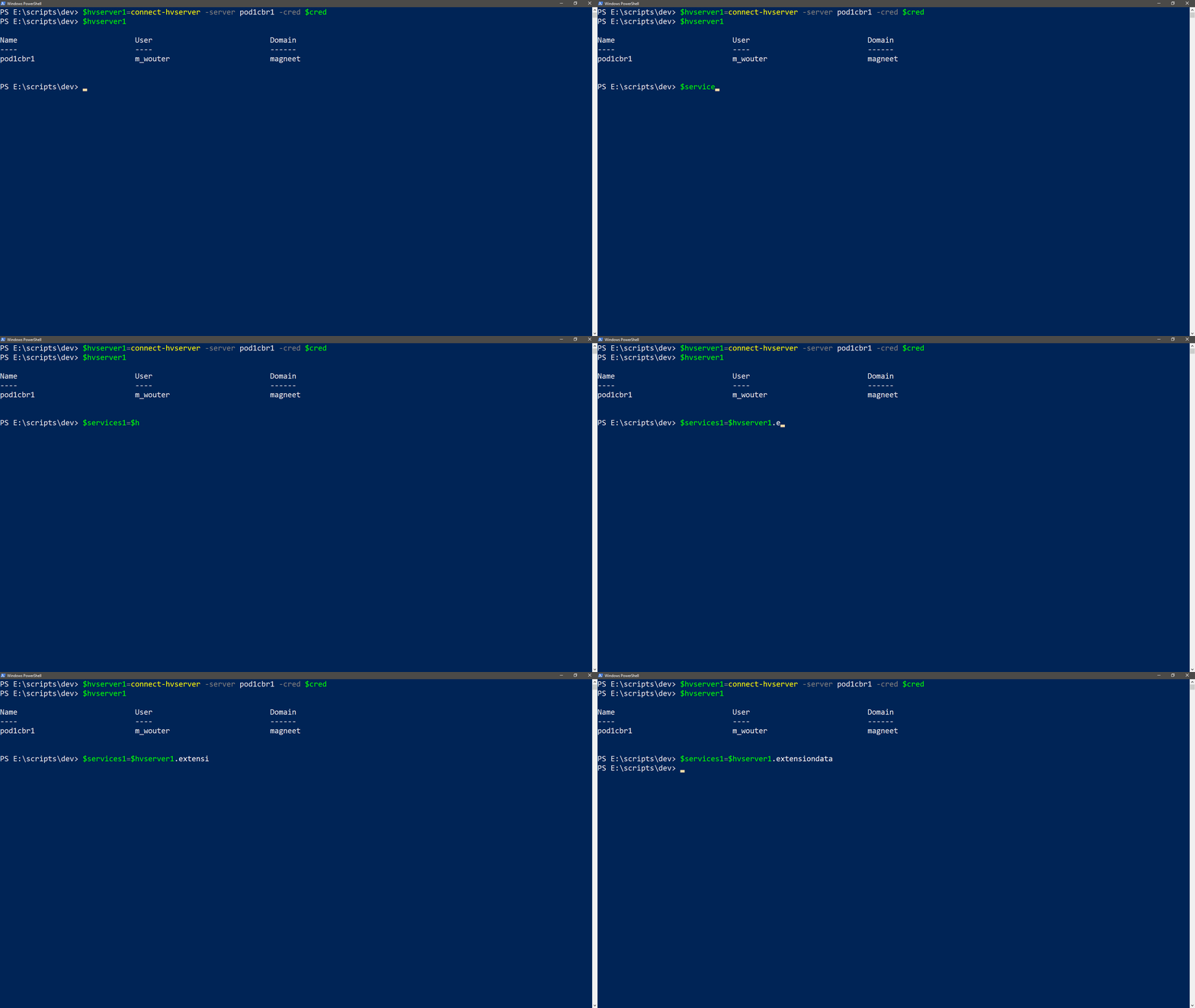
There’s a little bit more to it so you can actually use the api’s. First we need to put the session into a variable. I always use a number so it’s easy to separate my various pods.